Content: Items
Adding Items
Adding Items
To add an item simply click on the + icon in the content panel.
Then select Item from the list and click next.
Now fill the form with the following:
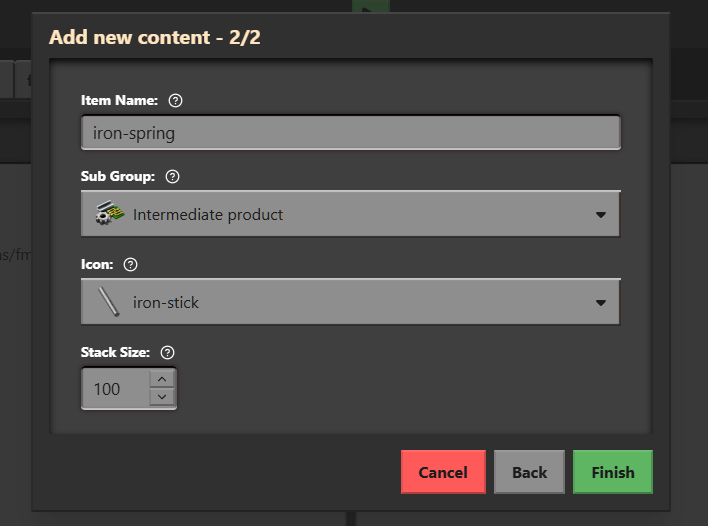
We will replace the icon later on!
Now click on Finish, the iron-spring item will now open,
you can edit props and save with
Ctrl + S
Whats next?
In the next guide we will add a matching icon to our iron-spring